
Search Knowledge Base by Keyword
For the latest information on Formula Operators and Functions, check out our built-in reference inside the Formula Builder dialog on our web platform.
Whenever you see a “hammer” icon appear next to a field, you can click this icon to launch the Formula Builder.
For example in the Form designer, if you click on a form field, then hover over the Visibility property on the right hand side, you’ll see the “hammer” icon appear.
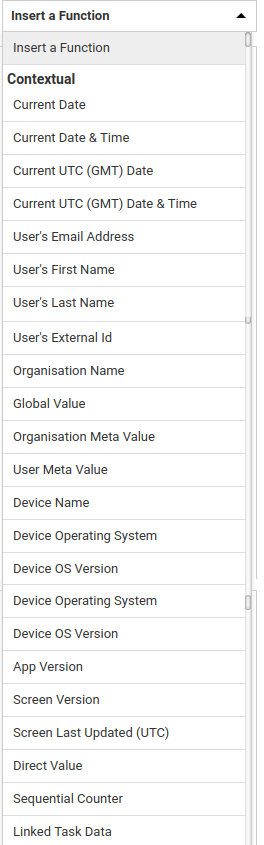
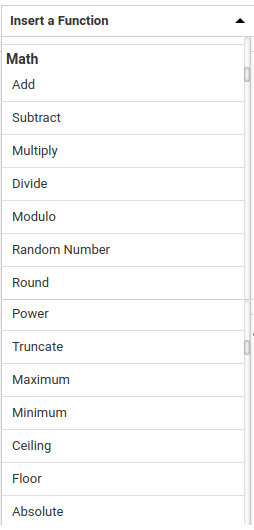
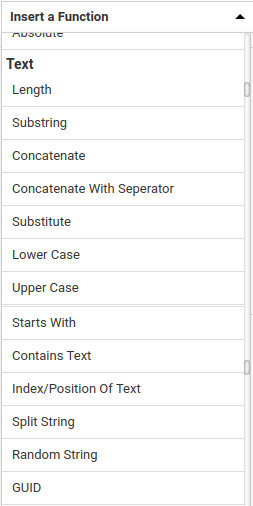
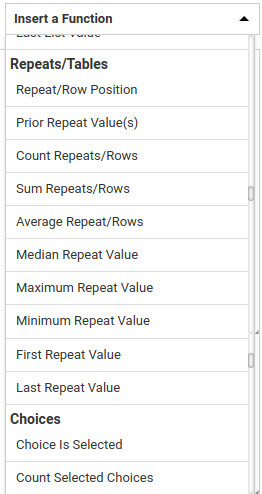
Once in the Formula Builder, the list of available formula functions will appear on the right-hand side of the dialog as a drop down field.
Note: Formula Builder Hints
When you click the drop down, the list of functions displays, and if you mouse over these you should see detailed hints appear next to most of these functions.
These hints explain how to use each function.
When you click a function in the list, you’ll see it added to the formula text area with placeholders for the required inputs.

More broadly, we make use of friendly help prompts heavily through the platform to explain how various functions work.
Whenever you see text with a question mark icon next to it, there’s a hint available.
We often put quite detailed text into these hints, so they are always worth checking out.

Contextual Functions
Function |
Operator |
Example |
Notes |
|
current field’s answer |
. |
. < 10.51 |
The current answer must be less than 10.51 |
|
today |
TODAY() |
TODAY() |
return today’s date |
|
now |
NOW() |
NOW() |
return a timestamp for this instant |
Math Functions
Function |
Operator |
Example |
Notes |
|
addition |
+ |
{{price1}} + {{price2}} |
|
|
subtraction |
– |
{{price1}} – {{price2}} |
|
|
multiplication |
* |
{{price1}} * {{price2}} |
|
|
division |
DIV |
{{price1}} DIV {{price2}} |
You must use the ‘div’ operator. Using a ‘/’ will not work |
|
greater than |
> |
{{price}} > 10.51 |
greater than 10.51, can also be combined with equals: >= |
|
less than |
< |
{{price}} < 10.51 |
less than 10.51, can also be combined with equals: <= |
|
rounding |
ROUND(value, power) |
ROUND({{price}}, 3) |
return the rounded value of q1, as in Excel |
Text/String Functions
Function |
Operator |
Example |
Notes |
|
concatenated string values |
CONCAT(value1, value2, …) |
CONCAT({{name}}, ‘ with id: ‘, {{national_id}}) |
Returns the concatenation of the string values. |
|
extract a substring |
SUBSTR(value, start) SUBSTR(value, start, length) |
SUBSTR(‘Test’,1, 2) = ‘es’ |
returns the sub string beginning at the specified zero-indexed start and runs to the end of the string, unless the optional character length is specified. |
|
length of a string |
STRING-LENGTH(value) |
STRING-LENGTH(‘Test’)=4 |
return the length of a non-empty string |
|
concatenate values with a separator |
JOIN(separatorString, value1, value2, …) |
CONCAT(‘The answers are: ‘, JOIN(‘, ‘, {{question1}}, {{question2}})) |
returns the concatenation of the answers using the first argument as a separator |
Repeatable Group Functions
Function |
Operator |
Example |
|