
Search Knowledge Base by Keyword
Most of our connectors are different in various ways depending on what systems they connect to and the functionality they provide.
However there are also some common options that most connectors feature.
These are described below.
Add a Run Condition
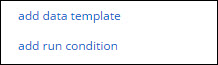
Sometimes you may have a Connector that you only want to fire in the event that the Form entry has a given answer value.
For example you may have an Audit Form, which has a risk rating question with options like “Low”, “Medium” and “High”.
If the user answers the risk rating as “High”, then you want an email to be sent to a supervisor for followup and action.
This is where a Run Condition comes in.
Run Conditions are defined by creating a true/false formula.
The Connector will only run if the formula you define in the Run Condition has a true result.
So in the example above, the Run Condition formula would be something like:
{{riskRating}} = ‘High’
When you hover over the Run Condition field, you will see a hammer icon appear.
Clicking the hammer will take you into the Formula Builder, which helps you to put together the formula you desire.
See the Creating a Formula page to learn more about form formulae.